Browsing Archive: November, 2020
Posted by Darryl Banua on Sunday, November 8, 2020,
Step 1: Using DISKPART Command
- Insert your USB flash drive to your running computer. As the first step, we need to run Command Prompt as administrator. To do this, we need to find cmd by typing 'cmd' in the search box on Windows Start Menu. After search result for 'cmd' appears, right click on it and select "Run as administrator".
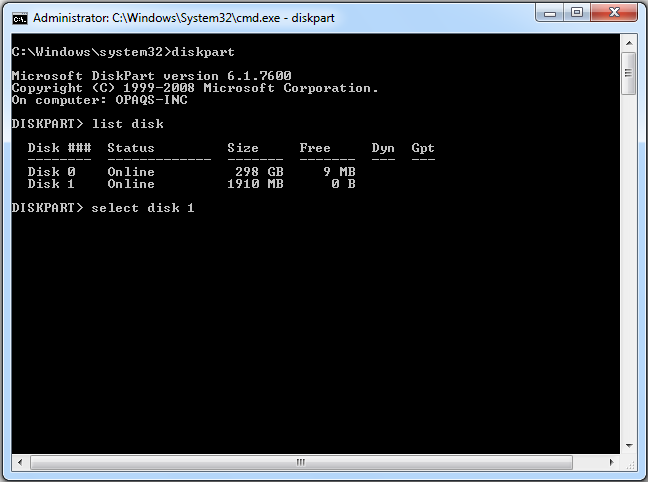
- Type 'diskpart' on Command Prompt (without quotes) and hit Enter. Wait for a while until the DISKPART program run.
- Type 'list disk' to view active disks on your comput...